
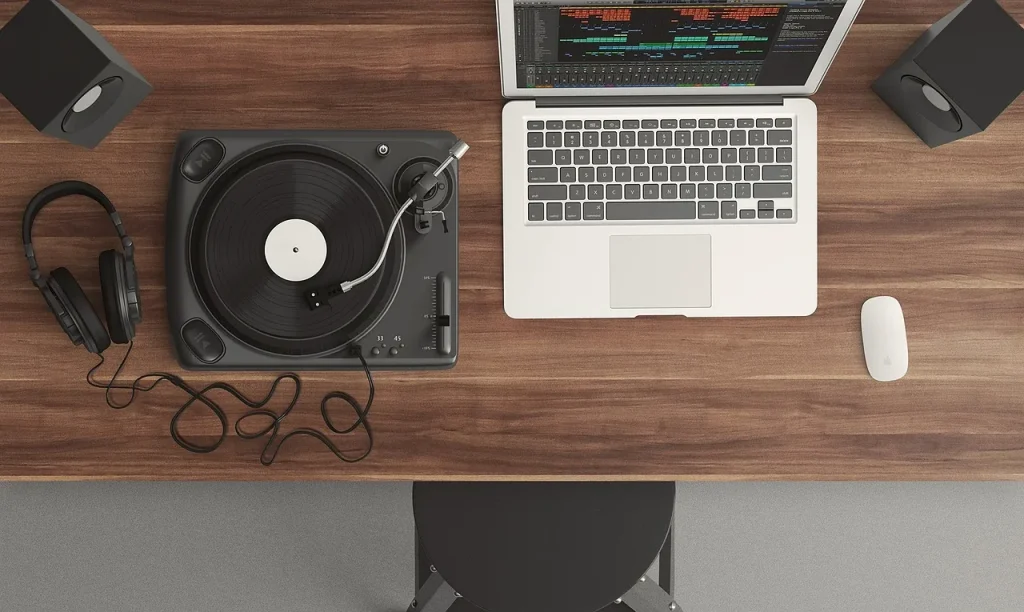
Promise: this guide helps beginners get started today, without unnecessary jargon.
You will learn the essentials of making music on a computer. It covers installing a DAW, setting up audio, adding a VST, managing tracks, and exporting the finished piece.
Why choose a good introduction: a structured tutorial helps you avoid common mistakes, reduce latency, and spark creativity.
We provide a clear learning checklist, practical tips, and troubleshooting advice for crackling audio and unrecognized plugins.
This article draws on concrete examples and practical resources. For personalized guidance, explore our music production lessons in Versailles.
Why an introductory music production video is essential for getting started today
Watching a complete workflow helps you turn an idea into a finished piece in a few clear steps.
Accessibility: a good tutorial shows how a DAW and a few plugins let you make music at home. Musicians no longer need an expensive studio to achieve convincing results.
Creative flexibility: computer-based music production lets you try arrangements, duplicate takes, and correct timing without stress. You quickly learn to edit and experiment.
Impact on everyday life: a simple workflow makes sessions more productive. You can make progress after work or school, one track at a time.
- Discover the technical essentials: a DAW (Ableton, FL Studio, Logic), VSTs, and an audio interface.
- Understand the full process: setup → recording → mixing → export.
- Learn to connect real instruments through an interface and combine acoustic and electronic sounds.
| Benefit | What the video shows | Result for beginners |
|---|---|---|
| Accessibility | Installing the DAW and plugins | Producing at home on a modest budget |
| Flexibility | Editing and duplicating takes | Saving time while creating |
| Sharing | Exporting and uploading | Quick feedback and motivation |
For local, tailored guidance, explore our music production lessons in Bois-d’Arcy. Next, this article presents concrete criteria for choosing the right tutorial and avoiding material that is too theoretical or advanced.
What is computer-based music production? The basics you need to know
Understanding how a computer becomes an instrument changes your approach to creating music. Computer-based music production covers every use of a computer and software to capture, create, edit, and finalize sounds.
A simple definition
Basic equipment includes a DAW (Ableton Live, FL Studio, Logic Pro, Reaper, Cubase, Pro Tools, Studio One), VSTs used as instruments or effects, and an audio interface for connecting an instrument or microphone.
What you can do with it
Compose step by step, write notation with TuxGuitar or MuseScore, record vocals and guitars, process audio (equalization, compression, reverb), and export your work to share online.
Myths and reality
Since the 1960s and the Minimoog, music creation has become more accessible. The myth of a “Matrix”-style studio has given way to a home studio where a computer and a good DAW are enough.

“Computer-based music production complements traditional instruments and makes production accessible.”
- Practical basics: manage projects, tracks, and tempo, and organize files.
- Choosing an introductory video that suits your goals then becomes straightforward.
The ideal introductory video on computer-based music production
A good DAW demonstration makes technical steps easy to reproduce right away.
Selection criteria:
- Chapters and close-ups of the interface so you can follow every step.
- Demonstrations in a common DAW (Ableton Live, FL Studio, Logic Pro) so you can apply the techniques regardless of which software you use.
- Clear instruction: a pace suited to beginners and gradual progression.
What the lesson should cover
The lesson should cover installing the software, configuring the audio interface and buffer size, then adding a VST and a first effect.
It should also include hands-on track management: audio and MIDI tracks, record enabling, naming, and organization. It should finish by showing how to export (WAV or MP3) and how to solve latency or unrecognized plugin problems.
“A practical tutorial saves you time and helps you avoid setup mistakes.”
Bonus: look for a video accompanied by a website or example files, a checklist, and the versions of the software used. That will help you quickly decide whether it meets your needs.
Your first steps in computer-based music production: a practical mini-guide
This step-by-step mini-guide helps you set up your equipment and start developing your first composition ideas.
Set up audio: connect the interface, select its driver in your software, and adjust the buffer size to balance latency and stability.
Choose a DAW: try GarageBand (Mac), FL Studio, Ableton Live, Reaper, or Logic Pro to find a workflow that suits you.
Add instruments and effects: install a VSTi (piano, synth, drums) and a basic effect (equalizer or compressor). Check that they appear in the DAW browser.

Compose your first demos: set the tempo, create a drum loop, add simple chords over 4 to 8 bars, then build out the structure.
Organize your files: create a “Projects” folder, sort samples and presets by category, and name your tracks to save time.
Export properly: choose WAV or MP3, avoid clipping, add metadata, and publish on SoundCloud, YouTube, or Spotify.
Troubleshooting tip: increase the buffer size if you hear crackling; check the routing if you hear no sound; rescan the VST folder if a plugin is not recognized.
Conclusion
This final section summarizes how to turn an idea into a first version you can share.
Summary: computer-based music production relies on a DAW, VSTs, and an audio interface. This article provides clear basics for choosing a good tutorial, following a mini-guide, and publishing your first track.
This tool gives musicians greater independence. From the living room to the studio, creative practice becomes more regular and purposeful.
Practice: repeat the steps, write down your setup, and start with short loops. Return to the basics if a problem arises, and expand your knowledge with a trusted website.
Take action: choose a suitable resource, start your project, and export a test version. Technique serves expression: keep your artistic intention at the center.
FAQ
What is computer-based music production?
Which DAW should I choose as a beginner?
What equipment do I need to get started?
How can I adjust latency and prevent crackling?
What is a VST, and why use one?
How can I organize my projects and samples effectively?
What harmony and rhythm basics should I use for my first demos?
How do I export a track to share online?
Which essential effects should I learn first?
Where can I learn computer-based music production quickly and effectively?
How do I fix a plugin that my DAW does not recognize?
Do I need to buy paid virtual instruments right away?
Can I produce a professional track in a bedroom?
How can I improve quickly at composing with a DAW?
]