
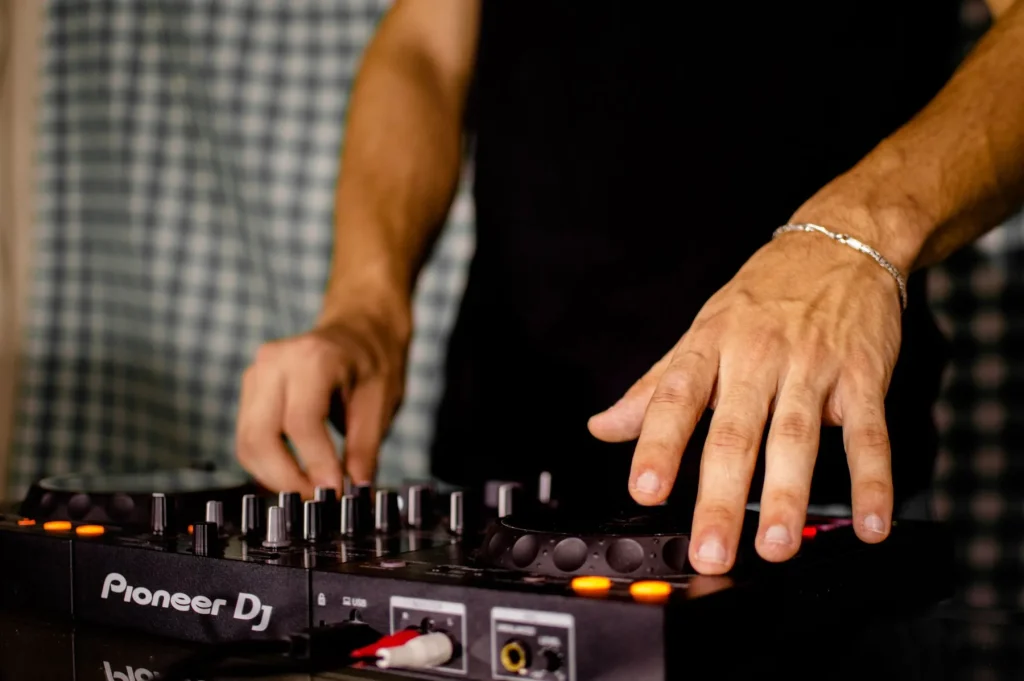
2025 overview — music production is evolving quickly. This practical guide helps you choose software, hardware, and ecosystems for composing, recording, and performing live.
We use a product roundup format to compare the best software and hardware by purpose: composition, recording, mixing, and performance. Clear headings make it easier to choose for a professional studio or home studio.
The landscape is changing: new interfaces, redesigned workflows, and cloud tools support collaboration. Pro Tools, Ableton Live, and Logic Pro remain benchmarks, but free and emerging alternatives are gaining ground.
Coming up: essential software, free options, computers and key components, recommended setups, and workflow advice. The goal is simple: help you make an informed choice based on your needs, budget, and technical environment.
For a detailed overview and practical recommendations, read our complete guide to computer music production.
2025 overview: where does computer music production stand for production, mixing, and live performance?
In 2025, digital audio workstations bring production, mixing, and performance together in one workflow. A modern DAW handles recording, editing, MIDI sequencing, effects, arrangement, and mastering.
Sampling, arrangement, automation, and built-in effects remain essential. They form the core of contemporary music creation. Interfaces vary: some software favors a linear workflow, while other programs use clips or scenes to develop ideas quickly and perform on stage.
“Audio quality is similar across products; the choice comes down to workflow comfort and goals.”
| Purpose | Workflow | Key advantage |
|---|---|---|
| Arrangement | Linear | Structure and precise editing |
| Developing ideas / Live | Clips / scenes | Flexibility in performance |
| Mixing | Virtual console | Automation and built-in effects |
Finally, Lite versions bundled with interfaces and controllers offer a way to get started at no extra cost. They let beginners learn without investing too much too soon.
Key trends currently transforming music production
Loop-based workflows and hardware improvements are changing how people compose. These developments affect both the studio and the stage.
From clip-based work to live performance
Ableton Live puts Session View at the heart of developing ideas. This format supports improvisation and real-time playing, making it ideal for electronic music.
Bitwig builds on this approach with advanced modulation and extensive hardware integration. Together, these DAWs put clips, scenes, and performance at the center of the workflow.
Apple Silicon M3/M4: more tracks, lower latency
M3/M4 chips offer gains in processing power and unified memory. The result is more tracks playing simultaneously and a noticeable reduction in real-time latency.
Advantage: demanding instruments and effects put less strain on resources, improving the responsiveness of each track.
The beginnings of GPU acceleration in DAWs
Ableton Live 12.2 is beginning to use the GPU for its interface. The benefits are modest today but promising: a smoother interface and more stable plugin displays.
“A responsive interface helps you stay creative when a project grows large.”
Lite versions and bundles for beginners
Many interfaces include a Lite version (Live Lite, Pro Tools Intro). These bundles let you start at a low cost and upgrade later.
- Try demo versions on your computer before buying.
- Check third-party plugin compatibility for your style of music.
Computer music production news: trends and new developments
Recent tools are rethinking sound processing and opening up new creative possibilities. DAWs now include high-quality effects: EQ, compression, reverb, and modular tools useful in everyday production.
Audio processing tools and effects: unlimited creativity
Advantage: in many cases, these built-in effects reduce the need for external plugins. They also improve sonic consistency and project stability.
Compatibility and ecosystems
VST remains the dominant format on Windows, while Audio Units leads on macOS. System or software updates can make some plugins or interfaces incompatible. Plan upgrades and test your equipment before an important project.
Community and learning
Forums, tutorials, and practical courses speed up learning. Sharing projects encourages feedback and helps improve presets. Always record your DAW version, operating system, and drivers to simplify maintenance.
Paid essentials: benchmark studio software
A closer look at the professional software shaping studio work in 2025. These paid solutions combine stability, sound libraries, and advanced tools for production and mixing.

Ableton Live
Ableton Live excels with its Session View and real-time performance features. Its built-in instruments and effects make improvisation and live playing easier.
Logic Pro
Logic Pro remains a leading choice on macOS thanks to its library, Flex Time/Pitch, and Smart Tempo. Its features-to-price ratio is attractive: €229.99 on the App Store.
Pro Tools
Pro Tools is a benchmark for professional mixing and mastering. It offers multitrack recording and precise editing but requires a dedicated setup and a substantial budget.
Cubase
Cubase offers powerful audio and MIDI sequencing. Available in Elements, Artist, and Pro editions (approximately €99.99, €329, and €579), it covers composition and advanced audio track management.
FL Studio
FL Studio favors a pattern-based workflow. Its bundles (approximately €99 to €499) include numerous instruments and effects that are especially popular for electronic and hip-hop beats.
To compare these options by purpose and budget, read our summary of the best DAWs.
“Above all, choose software that supports your creative workflow.”
Rising alternatives: Studio One, Reaper, and Bitwig in practice
Practical software is gaining ground by balancing power and simplicity. These programs cover setup, track work, and integration with instruments and plugins.
Studio One — a modern interface for recording, mixing, and mastering
Studio One appeals to users with its linear workflow. It brings recording, mixing, and mastering tools together in a coherent interface.
It is ideal if you want speed and ease of use. Its included tools reduce the need to add numerous plugins.
Reaper — affordable licensing and advanced customization
Reaper offers a very affordable license and a very fast engine. Scripts, themes, and macros let you adapt it to your way of working.
Choose Reaper for a highly customizable environment that uses few resources.
Bitwig Studio — advanced modulation and hardware integration
Bitwig excels at modulation and modular routing. Its Grid and hardware integration make it an experimental platform for producers who specialize in sound design.
When to choose them: linear workflow → Studio One, customization → Reaper, experimentation → Bitwig. All three handle third-party plugins well and fit into a professional music production chain.
There is no single “best” DAW: how to choose the right one
The right choice depends on how well a program’s features fit your way of working. A DAW can be perfect for live use yet less suitable for detailed studio editing.
Try demo and Lite versions to check stability and ease of use before investing.
Interface, workflow, and tools
Choose an interface that supports your creativity. If you like improvising, favor a clip- and scene-based mode. For arrangement, choose a linear view.
System and hardware compatibility
Check the required operating system, drivers for your hardware, and plugin formats (VST/AU). An incompatibility can make a DAW unstable during a session.
Prices, licenses, and room to grow
Compare the price, licensing models, and upgrade options. Choosing a license that can grow with you avoids buying a new tool when your needs expand.
- Try several DAWs: a tool can be ideal for one purpose but less suitable for another.
- Match your investment to your current needs; you can upgrade later.
“A good choice supports your method, not a passing trend.”
Free but capable: software for producing on a budget
Several free tools now offer solid workflows for producing without an initial investment.
Tracktion Waveform Free
Waveform Free provides a modern sequencer, unlimited tracks, and support for third-party plugins. It is a full version that does not impose workflow limits.
Universal Audio’s LUNA
LUNA aims for a sound reminiscent of an analog console. Its included extensions (Oxide Tape, Shape Toolkit, ARP) make recording and mixing easier.
GarageBand
GarageBand remains the simplest way to get started on Mac and iOS. Its instrument library and ready-to-use effects are ideal for learning composition.
Live Lite and Pro Tools Intro
Many interfaces, including Focusrite Scarlett bundles, provide codes for Live Lite or Pro Tools Intro. These bundles offer a practical solution at a low price.
- Tip: check plugin compatibility and your computer’s operating system requirements.
- For a serious start, consider Waveform Free for its unlimited tracks and support for extensions.
“Trying several options helps you choose the tool that truly suits your method.”
Discuss your needs and setup on specialist forums, for example in dedicated discussion threads.
A computer for music production in 2025: Mac, PC, or Linux for your needs
Your machine shapes your creative experience: quiet operation, flexibility, or open-source software may guide your decision.

Mac: quiet operation, battery life, and M4 chips
Mac computers work out of the box, run very quietly, and offer long battery life. Retina displays and M4 chips improve performance for mixing and mastering.
Drawback: the price is higher, and VST/AU compatibility should be checked before migrating.
PC: flexibility and better performance for the price
A PC remains more flexible. It can be upgraded, offer better performance for the price, and provide broad VST compatibility.
Watch out for laptop fan noise and the regular maintenance needed to preserve good performance.
Linux: audio distributions and an open-source ecosystem
Linux, with Ubuntu Studio or AV Linux, can be a reliable option for producers and experienced users.
Reaper, Bitwig, and Ardour run well natively, but the ecosystem is smaller. Hardware compatibility can vary; test your setup before investing.
“Choose first according to how you work, on the move or in the studio, and then according to the system you know.”
- Tip: test your entire production chain before migrating.
- The best computer depends on your needs; a trial helps avoid unwelcome surprises.
The components that matter: CPU, RAM, SSD, GPU, and connections
Hardware configuration often determines how smoothly the creative process runs. A good balance of processor, memory, and storage reduces latency and lets you open large projects without slowdowns.
CPU and single-core performance
The CPU remains central to real-time processing. Prioritize processors with strong single-core performance and 6 to 8 cores to handle effects and tracks simultaneously.
Tip: strong single-core performance improves plugin responsiveness and stability during live sessions.
RAM: 16 to 32 GB in dual-channel mode
For demanding instruments and sample libraries, 16 to 32 GB in dual-channel mode is a good compromise. Choose DDR4 at 3,200 MHz or DDR5 at 4,800 MHz according to your platform.
On Apple Silicon, fast unified memory brings tangible benefits to mixed audio and plugin workloads.
NVMe SSD and dual storage
Storage: choose a 1 to 2 TB NVMe SSD and, ideally, a second drive for projects and samples. Separating the system and DAW from libraries speeds up loading and protects projects.
GPU and essential connections
The GPU improves display performance; its role in audio processing remains limited today. Ableton is beginning to use the GPU, but audio processing still depends mainly on the CPU.
- Ports: USB 3.0 and USB-C for controllers and drives.
- Video: HDMI for multiple displays.
- Network: Ethernet for reliable transfers and collaboration.
- A reliable audio interface for inputs, outputs, and controlled latency.
“Prioritize a fast CPU and enough RAM: these are the components that free up creativity in the studio.”
Recommended setups in France: from a tight budget to a professional system
Choosing a suitable setup helps prevent slowdowns during a mix or an important project. Here are clear options based on your budget and mobility.

Affordable laptop
Ideal for producing anywhere: Ryzen 7, 16 GB of RAM, a 1 TB SSD, and a 16-inch display. Good value for the price.
Limitations: RAM is often soldered in, and an Ethernet port may be missing. Check the connections you need for your controllers.
Powerful laptop
For large projects: i7-14700HX, 32 GB of DDR5, a 1 TB NVMe SSD, and an RTX 4060. Numerous ports and a “Studio” mode help limit noise.
MacBook Pro M4 Pro
A high-end mobile workstation: 24 GB of unified memory, a 1 TB SSD, a 120 Hz XDR display, and very quiet operation. Plan for a USB-C hub if you need more connections.
Stable desktop PCs
For the studio: a Ryzen 7 or i7, 32 to 64 GB of RAM, an NVMe SSD and hard drive, in a quiet, upgradeable case. An ideal solution for long sessions and future hardware upgrades.
- Tip: check for an Ethernet port, an HDMI port, and enough USB ports for your interface and other equipment.
- For hardware comparisons and advice on choosing a computer, also see our guide to a video-editing setup: recommended configuration.
| Purpose | Suggested setup | Advantage | Limitation |
|---|---|---|---|
| Mobile use / small budget | Ryzen 7, 16 GB, 1 TB SSD | Affordable and portable | Limited upgrade options |
| Powerful mobile workstation | i7-14700HX, 32 GB, RTX 4060 | Handles large projects | Shorter battery life |
| Mobile mixing / mastering | MacBook Pro M4 Pro, 24 GB, 1 TB SSD | Quiet, high performance | Requires a hub |
| Fixed studio | Ryzen/i7 desktop, 32 to 64 GB, NVMe and hard drive | Upgradeable and quiet | Less portable |
Plugins, virtual instruments, and effects: the right ecosystem for your tracks
Bringing together a coherent set of virtual instruments, plugins, and effects simplifies creation and prevents interruptions during a session. Start with the software’s built-in tools to test ideas on well-organized tracks.
When a specific need arises, add a targeted plugin to find a particular sound. Consider libraries such as Kontakt and reliable synthesizers (u-he, Vital, Surge XT) to enrich your sounds without increasing the risk of instability.
- Start with built-in effects, then add one or two third-party plugins to expand your creative options.
- Document versions and licenses; test compatibility before an important session.
- Keep a minimal, effective set of tools so you can start new music projects quickly.
| Type | Example | Advantage |
|---|---|---|
| Synthesizer | Vital | Free and intuitive for sound design |
| Library | Kontakt | Professional library, broad compatibility |
| Processor | FabFilter / Waves (EQ, compression) | Stable, high-quality mixing |
“A small, well-maintained ecosystem frees up time to compose.”
To explore how to choose software and an ecosystem, also read the secrets of music software.
Workflow advice: from composition to mastering
A clear workflow reduces time lost between composing and the final render. Begin with simple organization: separate folders for sessions, raw audio, and exports. Save often and keep snapshots of each version so you can easily go back.

Project organization, track management, and versions
Create templates with routing, buses, and gain staging markers. A standard template speeds up work and avoids repetitive settings.
Name tracks clearly, use colors, and group tracks by bus. This organization makes editing and mixing easier as a project grows.
- Ready-to-use templates: vocals, drums, synthesizers, group buses.
- Keep timestamped versions: v01, v02_mix, v03_stem.
- Automate the export of separate tracks to prepare for mastering.
“Preparing presets and effects chains makes it easier to create when it is time to record.”
Finally, document settings (gain, sample rate, plugins) to save time during collaboration and revisions. Following these practices helps you stay in control of your project.
Prices, licenses, and community: get more from your investment
Looking beyond the initial price helps you assess a program’s long-term value.
Compare editions: Lite, Standard, Suite. Lite versions are often bundled with an interface. They are enough for an initial need. Suites offer libraries and advanced tools for greater quality.
Check the license type: subscription or one-time purchase. Reaper offers an affordable license. Ableton, Logic, Cubase, and FL Studio offer editions with different features.
- Watch for seasonal promotions and bundles to reduce the price.
- Try demo versions before buying to check ease of use.
The community’s role: forums and user groups share tips, fixes, and quick solutions. The community speeds up learning and helps solve practical problems.
“Start small: an upgradeable setup may be enough for your first projects.”
Conclusion
In short, the ideal tool depends more on how you create than on its reputation. Choose according to your workflow and goals so you can stay focused on the music.
Favor a reliable hardware and software ecosystem for better quality and a smooth experience. Test each combination on your actual setup before investing.
Develop your equipment over time: start with a Lite version, add targeted modules, and change solutions as your needs evolve. This approach reduces mistakes and supports your professional or personal work.
To produce music with confidence, practice often, start concrete projects, and stay in control of your method. Remain practical, flexible, and focused on results.