
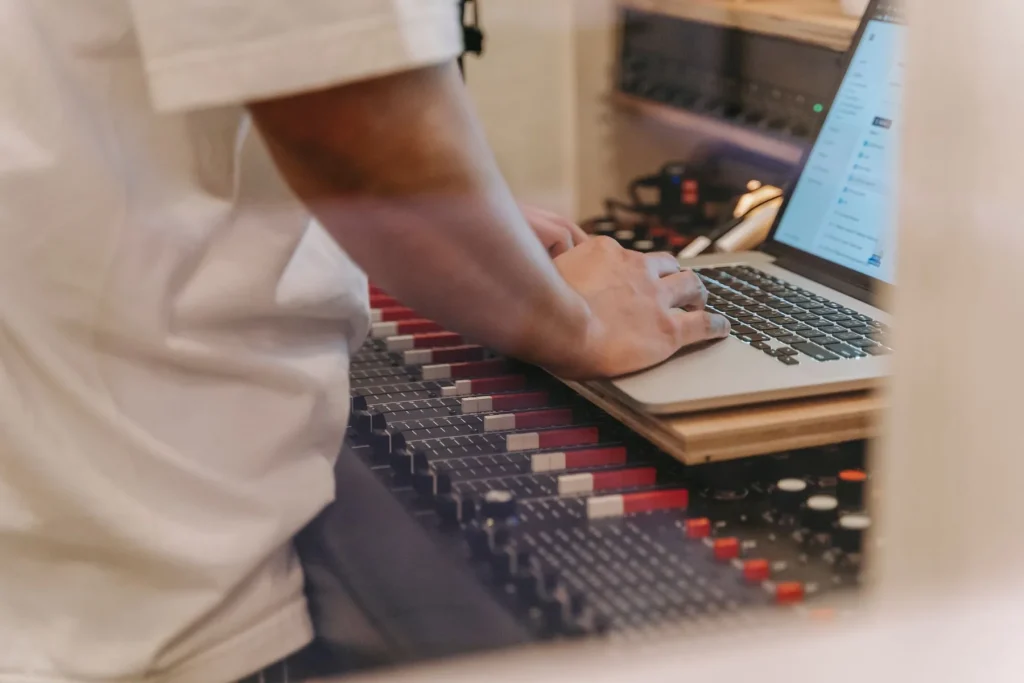
Choosing the right DAW is the second step in building a home studio, after choosing a computer. The right tool makes recording, production, mixing and mastering easier.
The market in 2025 offers a wide range of options. There is no universally best DAW: the best choice depends on your experience and the style of music you want to make.
Credible free options include Tracktion Waveform Free, LUNA (free version) and GarageBand. Lite versions (Ableton Live Lite, Pro Tools Intro+) often come with hardware.
In this article, we explain how a comparison can help you make an informed choice. We cover the key criteria: ease of use, built-in library, effects, compatibility, performance and trial terms.
You’ll then find introductions to Ableton Live, FL Studio, Logic Pro, Studio One, Cubase, Pro Tools and free alternatives. Our goal is to give you clear explanations, practical examples and recommendations suited to your needs.
Why compare DAWs in 2025: beginners’ needs, uses and expectations
Comparing DAWs in 2025 helps you match your software to your musical project. A DAW is more than a recorder: it is the central audio workstation for creating music. It brings together MIDI editing, sampling, multitrack recording, mixing (EQ, compression and reverb), arranging and mastering.
Today, built-in features let you complete every stage of production. A beginner can compose, edit and finish a track without leaving their DAW.
The idea that one DAW has the “best sound” is unfounded. Audio engines differ mathematically, but those differences are rarely audible. What matters is your workflow, the included sounds and how well the tool suits your needs.
For example, Ableton Live appeals to electronic musicians and live performers, while Pro Tools and Studio One remain popular for studio recording and mixing.
Try several trial versions to assess their workflow and libraries. Start with software that meets your immediate needs, then grow with it as you practise.
- Define your needs: learning, composing or collaborating.
- Try demos to assess each workflow.
- Prioritise ease of use and sound libraries over promises of magical sound quality.
Comparison: DAW software for beginners
Each DAW now serves particular needs: live performance, beatmaking, studio work or composing for film. Here is a practical overview to help you choose one that suits you and avoid costly mistakes.
Overview of the French market
- Ableton Live: a benchmark for electronic music and live performance.
- FL Studio: popular for urban beatmaking and fast creation.
- Studio One, Pro Tools and Cubase: chosen for recording, mixing and mastering.
- Logic Pro: a strong macOS option with an extensive library of sounds and instruments.
Key criteria for beginners
- A clear interface and intuitive workflow.
- Enough included sounds to create without immediately buying add-ons.
- Useful built-in effects and plugins for learning to mix.
Compatibility, resources and performance
Check Windows or macOS compatibility and consider how processor and memory use may affect audio stability.
Check which plugin formats are supported and whether local or online tutorials are available.
Versions and trial terms
- Common trial periods: 90 days for Logic, 60 days for Cubase and around 30 days for Pro Tools, Ableton and Studio One.
- Intro, Standard and Suite editions, along with Lite versions bundled with hardware, let you spread the cost.
Workflow and musical style
Session and loop-based work versus a timeline, drag-and-drop controls, and MIDI or score editing all influence the choice. Producers choose according to their style: FL Studio for beatmaking, Ableton Live for live performance, and Pro Tools or Studio One for recording bands in a studio.
A guide to choosing: needs → preferred workflow → budget and trial → platform.

Ableton Live: a benchmark for electronic music and live performance
Ableton Live combines improvisation and production, making it useful on stage and in the studio. Its Session and Arrangement views encourage creativity: looping clips let you try ideas live, then turn them into a linear arrangement.
Session View and Arrangement View
Session View speeds up experimentation. Launch clips, improvise and trigger scenes to build a live set.
Then switch to Arrangement View to structure and finish the track.
Instruments, effects and hardware integration
Live includes high-quality instruments and effects, as well as racks and plugins for shaping a modern sound.
Synthesizers and controllers integrate smoothly. This hands-on approach is ideal for sampling and performance.
Editions and trial
There are three editions: Intro, Standard and Suite. Standard is often enough for most projects. A 30-day trial lets you test audio and MIDI recording and key features such as warping, time-stretching and automation.
To compare other options and choose the best DAW for your needs, read our complete guide.
FL Studio: simplicity, beatmaking, and urban and electronic production
FL Studio remains a favourite for anyone who wants to make beats quickly and easily. Its interface, inherited from Fruity Loops, emphasises speed. The step sequencer and piano roll are the two main tools for building rhythms and melodies in minutes.
Step sequencer, piano roll and intuitive controls
The step sequencer lets you write rhythmic patterns without a keyboard. The piano roll provides precise MIDI editing for melodies and automation.
Trial version and extensive online tutorials
The trial version is fully featured, but does not allow saving. It is enough to test the workflow before buying.
FL Studio includes a wide range of plugins and effects. You can add a few carefully chosen third-party plugins to improve the result.
A typical workflow is pattern → arrangement → effects → export of separate tracks. It is often quicker to learn than timeline-centred DAWs.
Beyond beatmaking, MIDI editing and audio recording let you produce complete tracks. Tip: pay attention to gain levels and use the built-in analysis tools to maintain good mixing quality.
Ideal for producers drawn to fast production and electronic or urban music who want playful, adaptable software. To compare other options and choose for your needs, see this practical selection of the best music composition software.
Logic Pro: the Apple ecosystem and an extensive library of sounds and effects
On Mac, Logic Pro offers a complete environment that supports creation from the first beat to the final master. It combines a macOS-optimised interface with an extensive, ready-to-use sound library.
Built-in instruments and loops, including Drummer, Alchemy and Sampler, let you compose without adding third-party plugins. Live Loops makes it easier to work in blocks, while Smart Controls simplify sound design.
Optimisation for macOS brings stability and better performance when recording, editing and mixing. Large projects remain responsive on a recent Mac, reducing interruptions during sessions.
- Typical workflow: select loops → record MIDI → design sounds → mix with the built-in EQ, compression and reverb tools.
- Built-in plugins: capable EQs, compressors, reverbs, delays, and pitch and time-processing tools.
- Apple compatibility: Logic Remote and MainStage for live performance and touch control.

| Strength | Tool | Practical benefit |
|---|---|---|
| Library | Loops and instruments | Compose without additional purchases |
| Built-in tools | Drummer, Alchemy, Sampler | Immediate sound design and rhythm creation |
| Performance | macOS optimisation | Stable recording and mixing |
Apple offers a free 90-day trial. It is ideal for testing a project from start to finish. If you are new to music production on Mac, you can begin with GarageBand and then move to Logic Pro without disrupting your workflow.
Conclusion: Logic Pro offers a complete environment that can grow with you. Its quality and tools make it a lasting choice for anyone who wants to develop their music skills on Mac.
Studio One: a modern workflow for recording, mixing and mastering
Studio One stands out for its modern workflow, which reduces the need to switch back and forth between recording and mixing. Its interface remains clear and favours drag-and-drop controls. You can quickly assemble tracks, instruments and clips without losing momentum.

Interface, project management and built-in tools
Drag-and-drop navigation speeds up everyday work. Projects retain a version history and let you reuse processing chains.
The built-in effects and plugins cover EQ, compression, reverb and mastering. Analysis tools, gain management and routing provide precise control for a high-quality mix.
Trial, editions and value for money
A 30-day trial lets you test recording, mixing and mastering in one program. Several editions are available to suit different budgets.
For example, record a band, edit the takes, mix using mix scenes, then master the result without changing environments. For a home studio focused on recording and mixing, Studio One offers excellent value for money and a short learning curve.
| Strength | Key tools | Practical benefit |
|---|---|---|
| Interface | Drag and drop, arrangement tool | Save time in production |
| Built-in suite | Built-in effects and plugins | Fewer additional purchases |
| Project management | Versions and reusable chains | A consistent workflow from recording to mastering |
Cubase and Pro Tools: versatile professional tools and studio standards
Cubase and Pro Tools meet the needs of producers who want a robust audio workstation. They excel when editing, multitrack recording and compatibility in professional settings are priorities.
Cubase: audio engine and tools for composing to picture
Cubase offers a capable audio engine and a flexible interface. Its stability and perceived quality suit complex projects and film music.
Support for many formats and a wide range of built-in and third-party plugins make sound design and composing to picture easier. Steinberg offers a 60-day trial for testing complete productions.
Pro Tools: a studio standard and a way to develop your skills
Pro Tools remains a studio standard for recording, mixing and mastering. Moving sessions between studios is straightforward and reliable.
Its learning curve is steeper and it can cost more, but its professional compatibility makes it a logical choice for audio engineers and studios.

| Strength | Cubase | Pro Tools |
|---|---|---|
| Audio engine | Very capable; ideal for composing to picture | Optimised for professional recording |
| Editing | Advanced MIDI and notation tools | Precise audio editing and studio workflows |
| Plugins and formats | Broad VST compatibility, built-in plugins | AAX support, professional hardware integration |
| Trial | 60 days | 30 days |
When to choose each one: favour Cubase for composing to picture and its flexible interface. Choose Pro Tools for studio multitrack sessions and moving projects between audio engineers.
Free or low-cost options for getting started seriously
A limited budget does not prevent you from using serious production tools. Here are three practical ways to learn, create and develop without spending too much.
GarageBand on Mac
GarageBand is free, intuitive and integrated with macOS. It provides sounds, instruments and effects of sufficient quality to compose and record quickly.
The move to Logic Pro is natural: projects and workflows remain compatible, so you do not have to start over.
Tracktion Waveform Free
Waveform Free is an unrestricted DAW: there are no track or plugin limits. Its modern interface offers smooth editing and lets you get started straight away.
Universal Audio LUNA
LUNA offers an analogue-inspired approach with ARP, Oxide Tape and Shape Toolkit included. The free version contains effects demos and accepts third-party plugins, although some add-ons are paid.
| Tool | Strengths | Limitations |
|---|---|---|
| GarageBand | Simplicity, solid basic quality, macOS integration | Fewer advanced options |
| Waveform Free | Unrestricted, expandable, modern workflow | Variable quality of community support |
| LUNA | Analogue emulation, included tools | Paid add-ons; works best with UA hardware |
A way to progress: start with a free tool, clarify your needs, then move to paid software if necessary. Find resources and tutorials to speed up your learning.
How to choose according to your needs
To choose a suitable tool, start by defining exactly how you will use it. List the styles you play, whether you work on stage or in a studio, and whether you work alone or with a group.
Styles and uses
Electronic music: choose Ableton Live for improvisation and live performance. For rock, metal and bands, choose a DAW optimised for multitrack recording, such as Studio One or Pro Tools.
Cubase is useful for composing for film and video games. Logic Pro remains a strong Mac choice thanks to its extensive built-in library.
Library, instruments, effects and compatibility
A good library helps you produce quickly. Check the included instruments and effects.
Check plugin support and the accepted format (VST, AU or AAX). A good range of tutorials makes it easier for new producers to learn.
Versions bundled with hardware
Many audio interfaces (such as the Scarlett) and keyboards come with Lite editions (Ableton Live Lite, Pro Tools Intro+). They are ideal for trying a DAW at no extra cost.
| Criterion | Recommendation | Practical benefit |
|---|---|---|
| Style | Ableton Live, Studio One or Cubase | A workflow suited to live performance, recording or composing to picture |
| Library | Logic Pro or included sound packs | Compose without additional purchases |
| Compatibility | VST, AU or AAX | Access to third-party plugins |
Quick action plan: list your needs, download a trial version, test a representative project, then make your choice.
Mistakes to avoid when starting music production
To progress in music production, it helps to avoid a few common pitfalls.
Do not confuse a basic recorder with a full DAW. Some free tools, such as Audacity, lack features for non-destructive editing, automation or advanced track management. This limits what you can do when creating an album.
Avoid the myth that one DAW has the “best sound”. Choose a tool whose workflow suits your music instead of trusting promises of magical sound quality.
“Try before you buy: a real project quickly reveals the limitations.”
A few practical tips:
- Try demos or a Lite version before investing.
- Do not underestimate the computer power required for demanding sound libraries and plugins.
- Do not collect plugins at the expense of practice; plan your learning time.
- Back up your work regularly and organise your sessions track by track.
A simple plan: assess a tool with a real project, progress step by step and consult a list of music production mistakes to avoid to work efficiently.
Conclusion
In short, the right choice is the one that lets you complete a project comfortably.
Ableton Live excels at electronic music and live performance. Logic Pro appeals to Mac users with its extensive library and 90-day trial.
Studio One makes recording, mixing and mastering easier. Cubase suits composing to picture; Pro Tools remains a studio standard with a 30-day trial.
Final quality depends more on practice, careful editing and mixing than on the choice of DAW alone.
Action plan: identify your needs, use a trial, produce a complete track and assess the workflow. Consider Lite editions and software bundled with hardware too.
If you want a practical guide to getting started, see the best software for beginners. Choose a tool, learn it, finish your tracks and improve your equipment over time.