
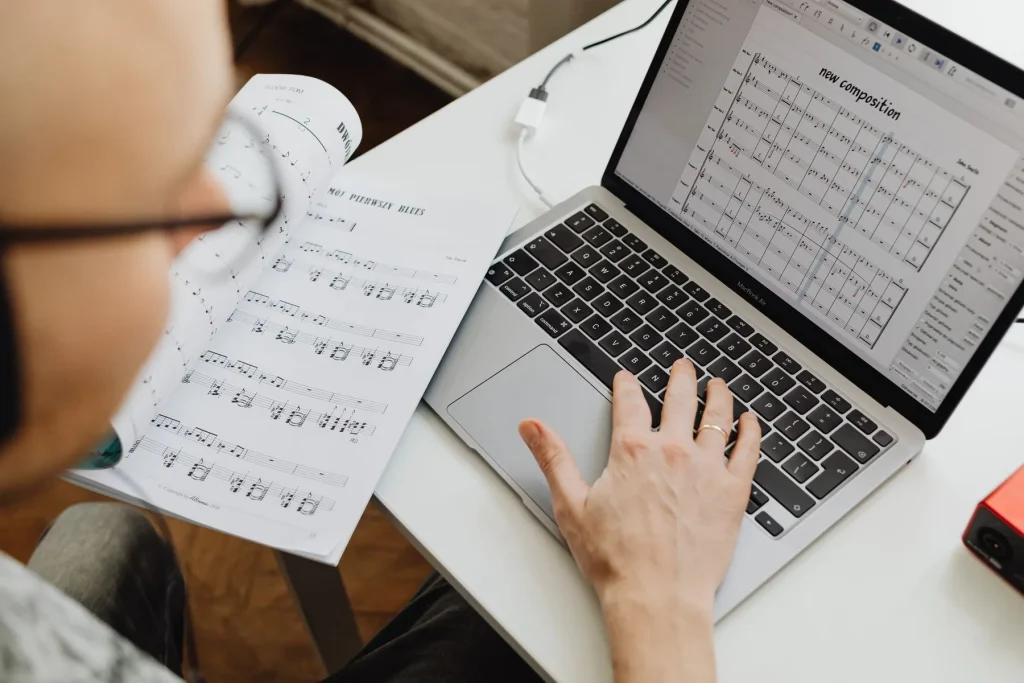
What this guide offers: a clear method for starting to produce music at home without spending too much.
This article is for beginners in France who want to compose, record and arrange tracks on a computer.
With a basic computer, studio software and a good listening setup, you can produce complete tracks and learn quickly.
Priority: invest first in a digital audio workstation (DAW) and your listening setup. Free options exist (LMMS, Audacity, GarageBand), and FL Studio Fruity Edition costs around €99 with lifetime updates.
Illustrative budget: DAW ~€100, headphones ~€100, optional monitors ~€200, optional keyboard ~€100. A realistic total is between €200 and €500, depending on your choices.
Benefits: faster progress, lasting choices and a setup you can expand. Avoid collecting unnecessary plugins and start practising.
For more on the technical basics and recommended setup, read this beginner’s guide.
Understand computer-based music production and set your goal
Your computer can become your main instrument for composing, recording and producing tracks. Computer-based music production covers the practices that use sequencing software and virtual or real instruments to create music.
Since the 1970s, synthesizers and machines have changed the music world. Today, you can create loops, arrange MIDI parts, record vocals and guitar, and complete the final mix in a DAW.
Minimum equipment: a capable computer and a DAW are enough. Headphones or monitors, an audio interface, a MIDI keyboard and a microphone can come later, depending on your project.
Set a simple goal
Choose what you want to produce first: an eight-bar beat, a pop demo with vocals or an instrumental composition. This goal guides your equipment choices and reduces the need to buy things immediately.
| Goal | Priority | Recommended equipment |
|---|---|---|
| Beats / electronic music | High | DAW, good headphones, sound libraries |
| Vocal demo | Medium | Audio interface, microphone, headphones |
| Instrumental composition | Variable | MIDI keyboard, virtual instruments, storage |
For practical advice and local lessons, consult a specialist centre such as music production classes. Start simply, work in stages and expand your setup as you make progress.
Making music on a budget: a step-by-step guide
You can start producing music at home with minimal equipment.
The essentials: a computer that can run a DAW, free or paid software and, above all, a reliable listening setup.

What to prioritize with €200–€300
Set aside ~€100 for a DAW (FL Studio Fruity Edition ≈€99), or use the free programs LMMS and Audacity.
Spend the rest on headphones. A good €50–€100 pair is better than a poor-quality one.
Headphones or monitors
Headphones offer precision and the freedom to work at any hour. Monitors help you hear the soundstage and judge how your music translates to other systems.
If you must choose, start with headphones and buy a pair of active monitors (~€200) later.
MIDI keyboard and audio interface
A MIDI keyboard helps you play ideas quickly, but it is optional; 25 to 49 keys are enough if space is limited.
An audio interface is unnecessary when you are starting with headphones. Add one when you record vocals or instruments.
Affordable examples
Headphones: Sennheiser HD 280 PRO, Sony MDR‑7506, Yamaha HPH‑MT5, AKG K‑271 MKII.
Monitors: KRK RP4 G3, Prodipe Pro 5 V3, Samson Resolv SE5, Alesis M1 Active mk3.
“Start with the priorities: software and listening equipment, then add what you need.”
Choose and install a DAW without overspending
The right software turns your computer into a small creative studio. Start by trying free options: LMMS for composing with its included instruments, Audacity for recording and editing, Mulab and Darkwave Studio for simple needs, and GarageBand if you use a Mac.
Before making a modest investment, try the trial versions: Reaper (60 days, affordable licence), Ableton Live (90 days to explore how it works) and FL Studio (trial version, editions starting at €99).
Check compatibility with your computer: most DAWs run on PC and Mac; on Linux, favour LMMS or try FL Studio through WINE. During installation, create clearly named folders for projects and samples, install sound libraries and enable automatic backups.
Audio settings: choose ASIO (Windows) or CoreAudio (Mac), and set the buffer size to 128–256 for playing or 512 or more for mixing. Set the sample rate to 44.1 or 48 kHz and try the included synthesizers (3xOSC, ZynAddSubFX, Analog/Wavetable).
Tip: try LMMS or the Ableton Live trial first to see which feels more comfortable. For help choosing a DAW, read this dedicated article.
Get started: a learning routine and an effective workflow
A short, focused daily plan helps you learn computer-based music production faster.
Simple routine: watch one or two tutorials in the morning, then apply the techniques that day. Moving between theory and practice helps you build useful habits as a beginner.
Reading the manual for your software (Ableton Live, FL Studio, Reaper) helps you understand each feature and the included instruments. Go straight to the chapters that interest you to save time.

Take structured notes on useful presets, common routing setups and frequency ranges (clarity around 2–5 kHz). A notebook helps you find this information again and prevents you from forgetting it.
Progress in stages
Start with simple melodies, then move on to sound design, arrangement and mixing. Divide your work into 25- to 45-minute blocks to stay focused.
- Short projects: finish an 8- to 16-bar loop in a day.
- Theory/practice split: spend 20 to 30% of your time reading and 70 to 80% working on the computer.
- Measure your progress: compare one version with another 30 days later to decide what to work on next.
“Consistency and iteration are worth more than collecting courses.”
Conclusion
Remember the essentials: start with a good DAW and accurate headphones. A computer with 8 GB of RAM, a processor of at least 2 GHz and 500 GB of storage is enough to get your studio started.
Illustrative budget: DAW €0–€99, headphones €50–€100, then a pair of active monitors at around €200 later. A MIDI keyboard remains optional; add an audio interface when you record an instrument.
Clarify your goal, install the software, configure the audio and create something every day. For an equipment overview and practical advice, see this useful resource: equipment overview.
Avoid common beginner mistakes: read this article on mistakes to avoid, then make your first beat in 30 to 60 minutes. Quality comes with time and practice.