
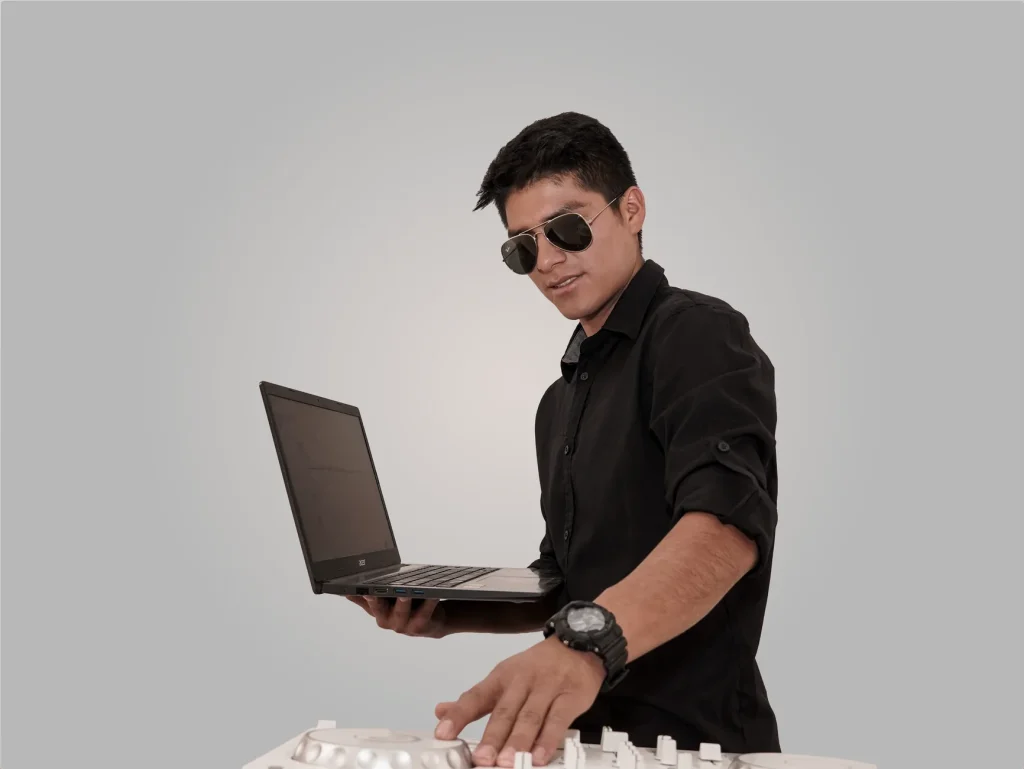
What this guide offers: a practical plan for designing, scheduling, and leading computer music production sessions, from the initial brief to the finished track.
Computer music production turns a computer, tablet, or smartphone into a complete instrument. Participants use a sequencer or digital audio workstation (DAW) to compose, record, and mix. Options are available for every skill level, from free tools to professional software.
Computer music production has become established throughout the musical world and offers real opportunities for people of all backgrounds to make music. A well-structured workshop helps aspiring artists turn an idea into a finished piece.
Here you will find learning objectives, a sample session plan, recommended minimum equipment (8 GB of RAM, a 2 GHz processor, and 500 GB of storage), and suitable software choices. For an example of an inclusive approach, see a workshop for women and gender-diverse producers.
End goal: participants who can work independently, produce at least one track, and share what they have learned.
Preparing a computer music production workshop: goals, participants, and formats
Clear learning objectives make every stage of the workshop easier to plan. For beginners or teenagers, aim to introduce computer music production, build confidence with a DAW, and complete a simple project from brief to export.
Group participants by their needs: middle school students, high school students, aspiring artists, and curious beginners need suitable vocabulary, pacing, and exercises. Consider the skill level stated at registration and, for online sessions, the outcome of a technical check beforehand.
Choose a format
Practical options include in-person sessions (equipment provided and group listening), online sessions (on Zoom, with a technical preparation meeting the previous week), or an immersive residency in a rural setting for focused work.
Duration, group size, and a sample schedule
Offer 7.5 hours (3 × 2.5 hours), 10 hours (5 × 2 hours or 4 × 2.5 hours), or 12.5 hours (5 × 2.5 hours). Limit groups to 6 people online and 8 in person so everyone can receive individual guidance.
| Format | Suggested duration | Capacity | Main benefit |
|---|---|---|---|
| In person (Paris) | 7.5 to 12.5 hours | 8 | Equipment provided and group listening |
| Online (Zoom) | 7.5 to 12.5 hours + technical check one week beforehand | 6 | Accessible nationwide; refunds if participants’ equipment is unsuitable |
| Immersive residency | Custom duration (days) | 6 to 8 | Teamwork and focus in a rural setting |
Deliverables and measures of success
Plan for a WAV/MP3 export, an organized session folder, and a short statement of intent. Signs of success include a completed short track, command of the main stages (idea, structure, editing, balancing, and export), and the ability to present the project.
For an example of hands-on training, see a practical music production workshop.
Essential equipment and software: computer, DAW, and accessories
Choosing a stable workstation is the first step toward effective music production. A good computer must handle the workload, stay properly ventilated, and have the required connections.

Computer, memory, and connection
Aim for at least 8 GB of RAM, a 2 GHz processor, 500 GB of storage, a 15-inch screen, and two USB ports. Reliable power and good ventilation help prevent crashes during sessions.
For online sessions, choose Ethernet or a very stable Wi‑Fi connection to avoid interruptions when sharing screens or transferring projects.
Music production software and DAWs
Choose software to suit the learning objective: Ableton Live for production and performance, Reaper for a full-featured lower-cost option, or FL Studio for beatmaking.
Free options are available for beginners: GarageBand and Audacity are starting points, while LMMS or Mulab offer instruments and effects. Mobile apps such as BandLab can also help participants capture ideas and try virtual instruments.
Useful accessories
Essentials include a USB audio interface (to reduce latency), closed-back headphones for each participant, a pair of studio monitors, a versatile microphone, and a shared 25- or 49-key MIDI keyboard.
“An audio interface improves the quality of the preamps and converters; a microphone lets you record vocals and acoustic instruments.”
Prepare cables, power strips, external drives, and preconfigured session templates. For a complete equipment list, see this home studio equipment guide.
Computer music production workshops: how to organize and lead them
Start with a quick result: open a template session with a few audio and MIDI tracks, load a virtual instrument, and start a loop. An immediate result motivates the group and makes the software easier to understand.
Start the session
Show the tracks, explain the difference between audio and MIDI, then try loops and virtual instruments. A short demonstration lets everyone adjust the tempo and key.
Design a track
Choose a style, sketch the structure (intro, bridge, break, drop), and assign roles: rhythm, bass, harmony, lead melody, vocals, and effects. Name and color the tracks to keep the project easy to follow.
Guided practice
Practice audio and MIDI editing and quantization, then add EQ, compression, delay, and reverb to shape the sounds. Offer short exercises: recreate a groove, write a bass line, and record a guide vocal.
Finish the project
Consolidate regions, check levels, and export to WAV/MP3. Explain metadata and introduce light mastering or a live set in Ableton Live.
“A shared, documented result motivates participants to keep learning.”
Facilitation and inclusion: a safe, creative, collaborative setting
Clear, inclusive ground rules encourage group expression and make each session a space for creative experimentation.
Create a supportive environment
A code of conduct introduced at registration clarifies expectations around respect, privacy, and making mistakes. Allow time at the start to make sure everyone feels welcome.
Preparatory documents and questionnaires about food, health, and accessibility needs help you arrange the space and schedule breaks.

Alternate structured and open sessions
Alternating software lessons with jams, recording, and group composition encourages hands-on production and collaboration among participants.
Professionals can lead dedicated sessions, then give the group space to create together and build independence.
Keep groups small and provide guidance
Groups of 6 to 8 allow for individual feedback and steady progress over a week. Ensure instructors are consistently available to support participants as they compose and develop ideas.
“A supportive setting creates more room to experiment and strengthens artists’ confidence.”
- Practical tools: session templates, sample libraries, and instrument recording sheets.
- Regular activities: work in pairs, assign contacts for instruments and recording, and hold a daily group check-in.
- Useful resource: for community-based and inclusive work, see this inclusive youth music program.
Conclusion
In practice, a straightforward method brings together technical skills, creativity, and guidance to help participants produce tracks quickly. Building each session around a finished result gives purpose to composing, editing, and producing music.
Provide a suitable computer (8 GB of RAM, 2 GHz, and 500 GB of storage), a reliable connection, an audio interface, headphones, and a microphone. Start with accessible software—for example, an Ableton Live trial—and ready-to-use virtual instruments.
Combine guided learning with open practice so participants can write, layer loops, process vocals, and finish a track. With an inclusive setting and regular feedback, everyone can create something tangible.
Explore practical courses to continue learning and plan the next session.